

How to Use Your Vanilla Gift Card Online
October 16, 2026
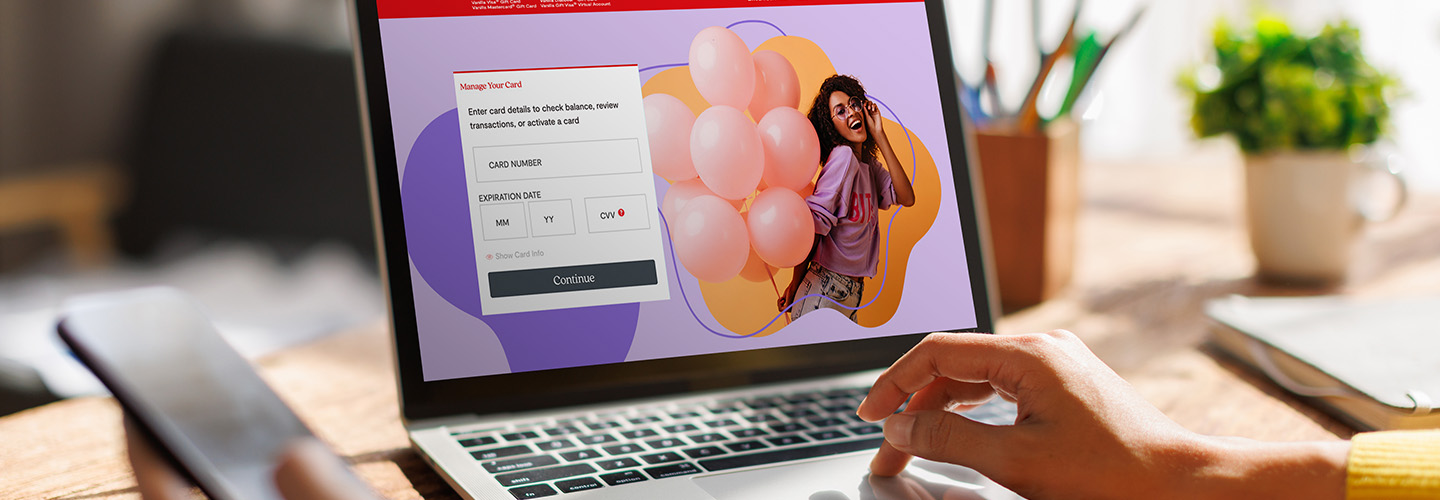
With your Vanilla® Visa® Gift Card information on hand, it’s simple to spend it online at a variety of merchants. Start by following the tips below for a seamless experience, including activating your card, visiting online stores, troubleshooting issues and completing your purchase.
If you’ve got additional questions about how to use your gift card online, search the dedicated Vanilla Gift FAQs listing for answers and look to the ultimate guide to Vanilla Visa Gift Cards, which covers the gifting process from start to finish.
Making Online Purchases with Vanilla Gift Cards
If you’re wondering how to use a Visa Gift Card online, we’ve got great news: It’s easy to use it shop at your favorite retailers in the U.S. and the District of Columbia! These cards are accepted where Visa Debit Cards are accepted nationwide. You can use your gift card online to purchase products and services, giving you endless options. Spend your funds exactly as you want with all the benefits of Vanilla Gift Cards by following this guide.
Step-by-Step Guide to Using Vanilla Gift Cards Online
After you’ve received your physical Vanilla Visa Gift Card, you’ll need to activate it. Visa eGift Cards arrive activated and ready to use. Once your card is activated, you can get to the fun part of using it online virtually anywhere Visa Debit and Credit Cards are accepted. These funds don’t expire, so you can use your Vanilla Gift when you want.
Step 1: Activate Your Gift Card
Before making a purchase with your Visa Gift Card, follow these steps for a smooth experience.
- If you’ve received a physical Visa Gift Card, you’ll need to activate it before you can start shopping. Make sure your card is activated by visiting the Activate Your Card link on our Vanilla Gift website, where you’ll provide your card details. Make sure the website matches the one provided on the back of your card. Activation is only required for physical gift cards.
- Remember, digital Visa Gift Cards arrive activated and ready to use.
- Check your balance online using the Vanilla Gift Card balance link and entering your card information or by calling 1-833-322-6760.
- Confirm that your chosen online retailer accepts Visa Gift Cards, which can be used everywhere Visa Debit Cards are accepted in the U.S. and the District of Columbia.
- Use your Visa Gift Card like a debit card or credit card at checkout by filling in the “Debit” or “Credit” field, not the “Gift Card” field.
Step 2: Choose Your Online Retailer
Now that you’ve activated your Vanilla Visa Gift Card, you’re ready to start shopping. These cards are flexible and simple to redeem online. Keep these tips in mind when picking where to use your gift card:
- Ensure that the retailer accepts Visa Gift Cards. While they are widely accepted, it’s still important to make sure your purchase will be processed correctly.
- Use the card at reputable and secure online stores so that you can confidently order apparel, experiences or any product you prefer.
Step 3: Entering Your Card Information at Checkout
Ready to make a purchase with your Vanilla Visa Gift Card? Follow these tips for how to use your Vanilla Gift Card online to checkout smoothly.
- Enter Vanilla Visa Gift Card details at checkout:
- Select “Debit” or “Credit” instead of “Gift Card” as your payment method
- Add card information to the Payment Method section as you would a debit card or credit card
- Use your name and address in the Billing Details section
- If prompted to add a zip code, use your own zip code
- Take note of these common issues and troubleshooting tips:
- If your purchase is declined, you may have insufficient funds. Make sure your Vanilla Gift Card balance is more than the entire cost of the purchase, including taxes and shipping.
- If your purchase was declined and you have sufficient funds to cover the purchase, it may be due to security and safety measures meant to protect your funds. In this case, you may want to try a different online merchant or make the purchase in person.
- If the retailer is based internationally, you will not be able to complete the purchase. You will need to select merchants based in the United States and the District of Columbia.
Making the Most of Your Vanilla Visa Gift Card
Taking the time to learn how to redeem a Visa Gift Card can help with a hassle-free shopping experience later. Additionally, taking note of common hurdles for using your gift card can help prevent declined transactions or assist you in resolving them quickly. Maximize your funds and your time with these valuable tips.
Tracking Your Vanilla Visa Transactions
It’s important to track your Vanilla Gift transactions for ease in spending. Adding your physical or digital Visa Gift Card to supported mobile wallets allows you to store payment information and make purchases from your mobile device. Look for the Add to Wallet option on your card for use with Apple Pay, Samsung Pay and Google Pay.
A mobile wallet helps you track your purchases so you can stay within your card’s balance. If your balance won’t cover your full purchase, some retailers may allow the use of split payments. Check if you can use multiple cards first, as this option varies by retailer.
What to Do if Transactions are Declined
While most purchases are completed successfully, transactions may occasionally be declined for verification or processing reasons.
While you may feel confident to move ahead with a purchase, declined transactions still happen. What do you do once you’ve picked out something special, applied your card and can’t complete the purchase? Start by working through these steps to solve your specific problem:
- Go through the basics, like checking your balance, verifying that you’ve entered the correct card information, confirming that the retailer accepts Visa Debit Cards and making sure it’s a U.S.-based company.
- If all the above checks out, try to use the card in person or make the purchase through another site.
- If you don’t want to use another site or the other site still doesn’t work, contact our Vanilla Gift customer service team at 1-833-322-6760 for assistance.
FAQs About Using Vanilla Visa Gift Cards Online
Can you use Visa Gift Cards online?
Yes! Vanilla Visa Gift Cards can be used online at many U.S. retailers.
Can you use multiple Visa Gift Cards online in one order?
Yes, you can use multiple gift cards in one online order if the retailer supports it during checkout.
Why is my Visa Gift Card being declined?
There are several reasons a Visa Gift Card may be declined online. But luckily, troubleshooting is often simple. Try the following steps to fix declined transactions:
- Card is not activated. Make sure to follow the activation instructions before trying to use your Visa Gift Card online.
- Insufficient funds. You will need to spend your gift card on a purchase that is less than the amount on the card (including cost, taxes and shipping) for it to go through successfully.
- Security measures may block the purchase: You may want to try another retailer.
- Retailer does not accept Visa Debit: You will need to find another retailer.
- Cannot be used at international retailers: You will need to use your Vanilla Gift Card at a U.S.-based retailer.
If you’re still having trouble using your Vanilla Visa Gift Card online, contact customer service at 1-833-322-6760 for help.
Can I shop online with a Vanilla Gift Card?
Yes, you can use your Vanilla Visa Gift Card to shop online with any United States merchant wherever Visa debit cards are accepted. Please see your Cardholder Agreement for more information.
Why is my Vanilla Visa Gift Card not working?
If you’ve gone through the troubleshooting steps and have confirmed that the card is activated, the balance is sufficient and the retailer accepts it; you can contact our customer service at 1-833-322-6760 for additional troubleshooting.
Can you use Vanilla Gift Cards on DoorDash?
Yes, you can use your Vanilla Gift Cards to make one time purchases on DoorDash. Simply add the Vanilla Visa Gift Card details (card number, expiration date, and CVV) to your DoorDash account and use it to pay for orders, pending that the balance is adequate.
Can I use a Vanilla Gift Card on Spotify?
Yes, Spotify accepts Vanilla Gift Cards as payment for one-time purchases.
Can I use a Vanilla Gift Card on Uber Eats?
Yes, Uber Eats accepts Vanilla Gift Cards for one-time purchases. Make sure the card is activated and that the funds are sufficient before entering it for payment on Uber Eats. Contact customer support at Uber Eats if your card is declined or if you experience other issues using a Vanilla Visa Gift Card on Uber Eats for a one-time purchase.
Vanilla Visa Gift Cards and Online Shopping Go Hand-in-Hand
Now that you know how to use Vanilla Gift Cards online, in addition to tips for storing gift card information, using gift cards on the go and overcoming common obstacles, you’re set to spend it as you choose. There’s no expiration date on your funds, so you simply need to ensure the retailer accepts Visa Debit Cards, ensure that the retailer is based in the U.S. or District of Columbia and follow the steps for making a purchase. If you encounter any issues, use the troubleshooting ideas.
With flexibility and versatility, plus the know-how of how to redeem a Visa Gift Card on your favorite retailers’ sites, you’re ready to use your gift card on something special. Start exploring the joys of online shopping with Visa Gift Cards to make the most of your gift.

FAQs
Can you use multiple Visa Gift Cards online in one order?
Yes, you can use multiple gift cards in an order if the retailer supports it during checkout.
Why is my Visa Gift Card being declined?
Some common reasons for declined transactions include:
- Card is not activated: For physical gift cards, you will need to Activate Your Card on Vanilla Gift’s website. Activation is only required for physical gift cards.
- Insufficient funds: You will need to use it on a purchase that is less than the amount on the card (including cost, taxes, and shipping)—you can use the Check Balance link on the Vanilla Gift site to find your card balance
- Security measures may block the purchase: You may want to try another retailer
- Retailer does not accept Visa Debit: You will need to find another retailer
- Cannot be used at international retailers: You will need to use it at a U.S.-based retailer
If none of these situations apply, contact Vanilla Gift customer service at 1-833-322-6760 for help.
Can I shop online with a Vanilla Gift Card?
Yes. You can use your Vanilla Visa Gift Card to shop online with any United States merchant wherever Visa debit cards are accepted. Please see your Cardholder Agreement for more information.
Why is my Vanilla Visa Gift Card not working?
If you’ve gone through the troubleshooting steps and have confirmed that the card is activated, the balance is sufficient, and the retailer accepts it, you can contact customer service at 1-833-322-6760 to troubleshoot the issue.
Can you use Vanilla Gift Cards on DoorDash?
Yes, you can use your Vanilla Gift Cards to make a purchase on DoorDash. Simply add the Vanilla Visa Gift Card details (card number, expiration date, and CVV) to your DoorDash account and use it to pay for orders, pending that the balance is adequate.
Can I use a Vanilla Gift Card on Spotify?
Yes, Spotify accepts Vanilla Gift Cards as payment for one-time purchases.
Can I use a Vanilla Gift Card on Uber Eats?
Yes, Uber Eats accepts Vanilla Gift Cards. Make sure the card is activated and that the funds are sufficient before entering it for payment on Uber Eats. Contact customer support at Uber Eats if your card is declined or if you experience other issues.